LUNA Free or Studio for Topliners
Recording and exporting a demo already fit inside Free. The paid tier needs to solve a more specific problem in your writing session.

A topliner writes the vocal melody and lyrics over a track. For that writer, the immediate job may be modest: record a guide, choose the strongest phrases and send a usable file. LUNA Free already provides a route through that job. The paid Studio edition becomes interesting when it removes a specific, recurring obstacle.
Following September’s major LUNA update, UA’s release notes list version 3.1.0, dated September 30, 2026. Studio is listed at US$199 for a one-time purchase, with UAD Spark Studio as a subscription alternative. Prices were checked October 5; local taxes and offers may differ. Sources and scope ↓
How to read this feature: manufacturer documentation establishes the capabilities below. The session suggestions are our editorial analysis. We have not installed or tested these editions, measured separation quality or benchmarked transcription.
Capture before upgrading
LUNA Free runs on macOS and Windows, requires no UA interface and has no track-count cap or export watermark. LUNA Play, included in both editions, is UA’s simplified capture workflow: it detects the source, helps set levels and suggests processing. Check your input and headphone sound before relying on automatic setup.
For repeated chorus attempts, loop recording saves each pass as a Take inside Track Versions. A comp assembles selected phrases into a destination version or another track. That basic capture-and-edit job does not require buying Studio.
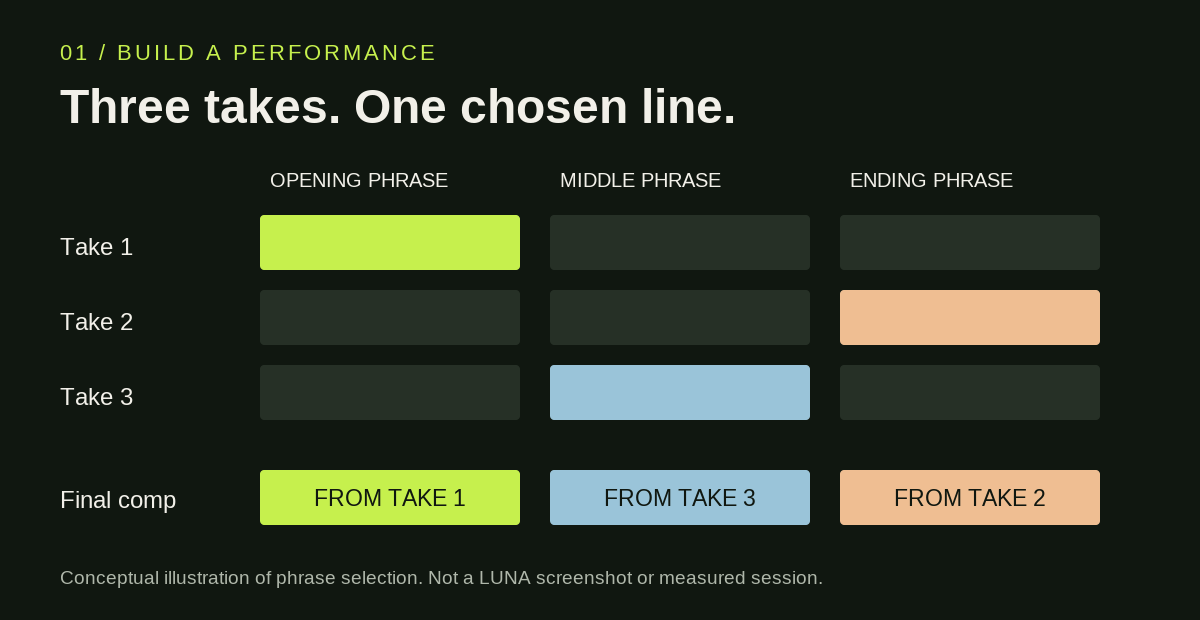
Try keeping the emotional opening from one pass and a clearer ending from another. Then listen across the join. The goal is a coherent performance, not a collection of individually impressive syllables.
What would you pay to fix?
| Session task | Free | Studio adds |
|---|---|---|
| Record & comp | LUNA Play; Track Versions | Same underlying recording workflow |
| Separate a mix | Four stems | Up to six stems |
| Navigate an idea | Listen and edit manually | Lyric transcription; chord extraction |
| Recover notes | Enter notes manually | Audio-to-MIDI, requiring Melodyne |
| Draft a sung part | Record your guide | Bundled Synthesizer V Studio 2 Core |
| Deliver audio | Full-song export, no watermark | No upgrade needed just to export |
Free’s four-way separation splits vocals, drums, bass and other material; Studio expands the separation count. First ask what needs isolating. If the supplied backing track is already usable, more separation may add little. Work with recordings you own or are authorized to use, and audition any extracted part.
Moises-powered lyric transcription and chord extraction offer a different benefit: finding a line by its words or recovering harmony to inspect. Treat the output as a starting point. Provisional syllables and language changes are reasons to check the result, not reasons to assume accuracy.
Upgrade for the edit you keep needing.
Audio-to-MIDI requires LUNA Studio and Celemony Melodyne; Melodyne Essential is part of the Studio bundle. Start with an isolated guide phrase and compare the detected notes against it. Pickups, held syllables and short transitions deserve a deliberate listen before the notes become an arrangement.
A synthetic guide is another tool
Studio bundles Synthesizer V Studio 2 Core for turning notes and lyrics into a sung sketch. A synthetic guide can help communicate a melody when the writer is revising notes faster than they can re-record. It does not establish how well a particular Korean or English phrase will sound.
Check the current Core comparison before buying for a specific editing feature; Core and Pro should not be assumed interchangeable. Audition the actual phrases you need and check the chosen voice’s terms. We make no pronunciation-quality, voice-licensing or artist-endorsement claim here.
Export the decision you made
UA’s Mixdown documentation describes exporting selected tracks or buses, preserving mono tracks and bypassing effects. Define a common time range before printing your guide and backing. Exporting an isolated clip is a different handoff from aligned, full-length audio.
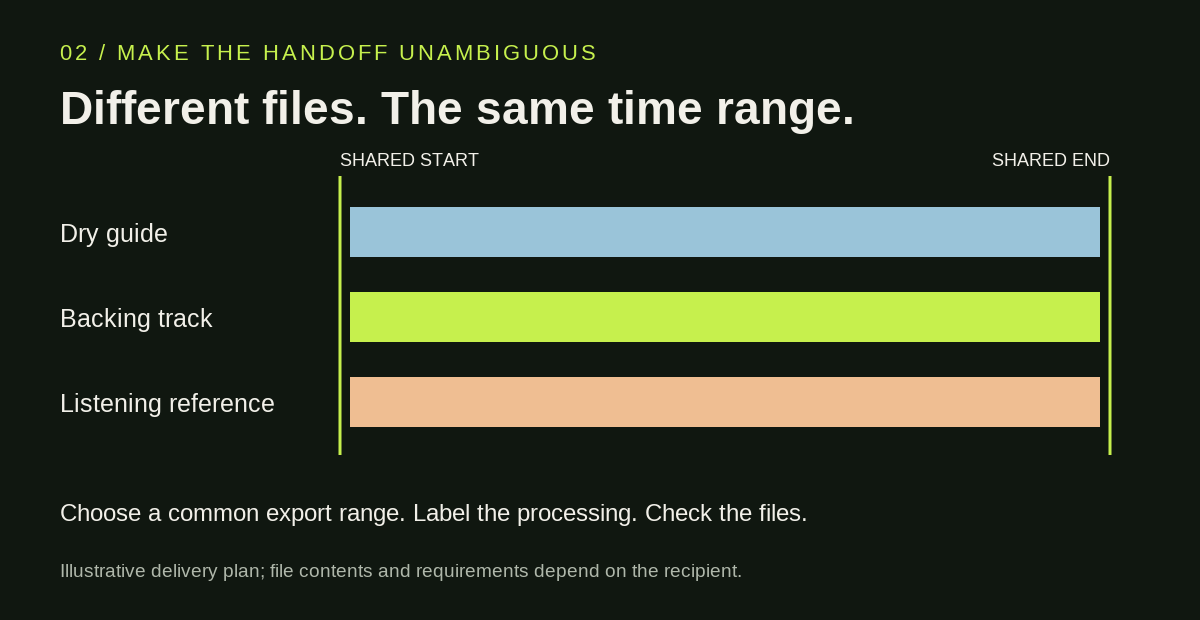
Our suggested handoff is a clearly labelled guide, its matching backing track and a processed listening reference when that sound matters. Agree on the required format with the recipient. Play the exported files outside the session to check that the start, ending and processing match what you intended.
Your next job is to capture a guide, select phrases and deliver audio. Finish that job before evaluating more tools.
A repeat task needs a documented paid feature. Test the result on your own material before making it essential to your process.
A bundle can be useful without being necessary for every writer. Complete one guide in Free, note the revision that repeatedly slows you down, and judge the upgrade against that task. For the hardware side of a small writing room, see our Volt Gen 2 and Volt Max first look.
Sources & scope
Checked October 5, 2026. This comparison draws on the manufacturer’s product pages and manuals listed below. Workflow suggestions are editorial guidance; they are not hands-on test results.
- Universal Audio: LUNA Free — platform, capture tools, exports.
- Universal Audio: LUNA Studio — bundle, price and tier differences.
- LUNA release notes — version dates and audio-to-MIDI prerequisites.
- Recording Audio and Working with Audio in the Timeline — Takes and comping.
- Using LUNA Assistant Features — documented Voice Control limitation.
- UA and Moises — lyric and chord tools.
- Mixing in LUNA — export range and options.
- What’s New in LUNA — original source of both official video embeds.
Visual credits
Cover, vocal-comp diagram and aligned-delivery diagram: original KPOP MAGAZINE explanatory graphics, October 5, 2026. No product screenshots, logos, photographs or measured audio reproduced. Video players: Universal Audio / YouTube, embedded from UA’s official update page; footage remains with its rights holders. Playback availability depends on YouTube.